

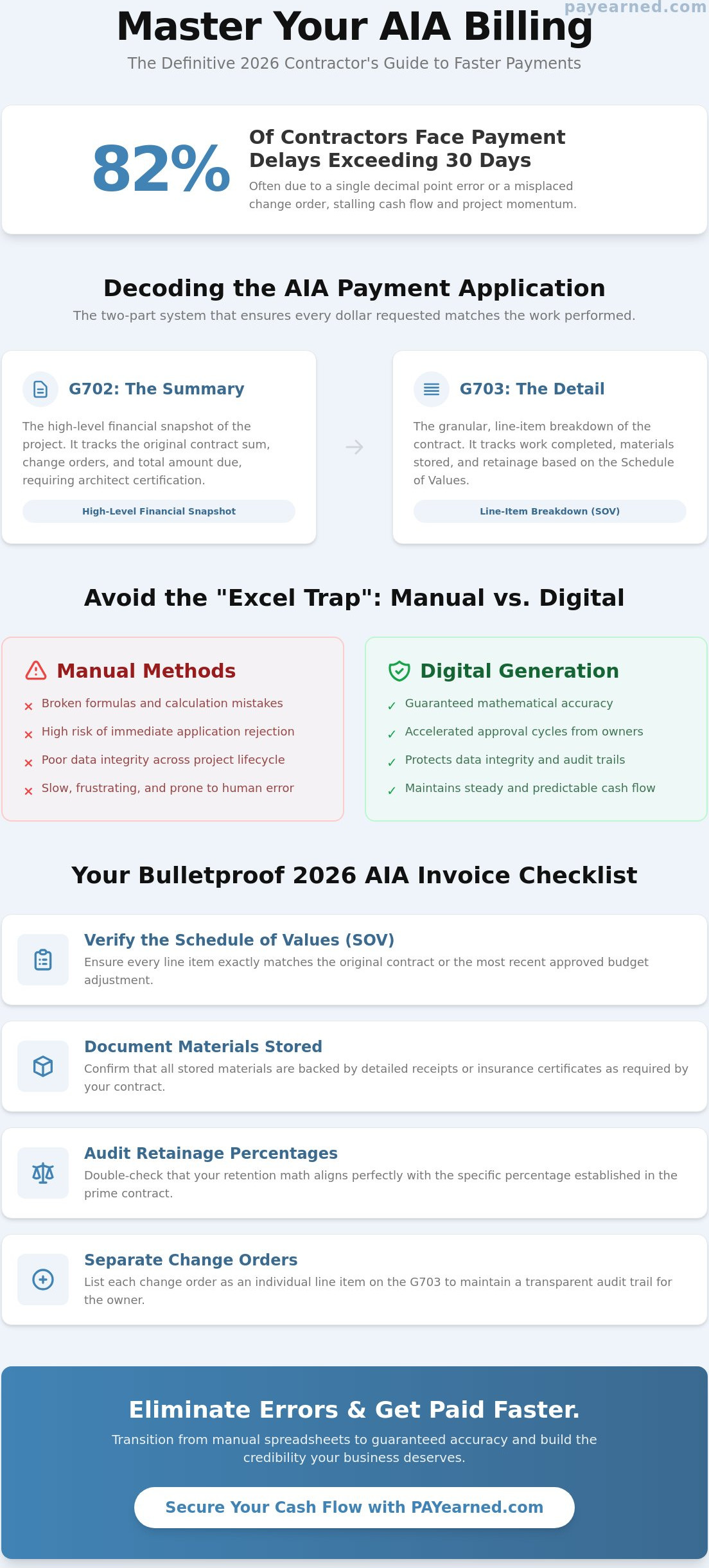
Did you know that 82% of contractors currently face payment delays exceeding 30 days, often due to a single decimal point error on an aia invoice? You already understand that in commercial construction, your technical skill in the field is only half the battle. The other half is won in the office through mathematical precision and administrative reliability. It’s incredibly frustrating to see a massive progress payment stalled because of a G703 math error or a misplaced change order that triggers an immediate rejection from the project owner.
This article provides a definitive 2026 checklist designed to help you master the complexities of AIA-style billing. We’ll show you how to eliminate common calculation mistakes, track retainage across long project lifecycles, and present change orders with total clarity. By following this repeatable process, you can secure faster approval cycles and maintain the steady cash flow your business requires to thrive. We will break down exactly what needs to appear on your G702 and G703 forms to ensure your next application for payment is approved without a single revision.
Key Takeaways
- Understand the critical relationship between the G702 summary and G703 continuation sheet to ensure your payment package is logically sound.
- Master 2026 compliance requirements by aligning your Schedule of Values with the latest approved budget and verifying documentation for stored materials.
- Learn how a single mathematical error on an aia invoice can stall your cash flow and how to implement a repeatable verification process.
- Identify the specific risks of the “Excel Trap” where manual templates lead to broken formulas and immediate application rejections.
- Discover how transitioning from manual entries to specialized digital generation improves data integrity and accelerates approval cycles from project owners.
What is an AIA Invoice? Decoding the G702 and G703 Relationship
An aia invoice isn’t just a request for money; it’s a structured financial legal document. It functions as a two-part system that ensures every dollar requested matches the work performed on-site. By using the G702 Summary and G703 Detail, you create a transparent audit trail that moves from the subcontractor to the architect and owner for final approval. This standardization eliminates the guesswork that leads to payment disputes and builds your credibility as a professional contractor. You don’t need expensive paper forms to achieve this. Modern software allows you to generate “AIA-style” billing that meets all industry requirements while automating the complex math that often leads to human error. Standardization isn’t just about following rules; it’s about professional risk management. When you submit a clearly organized pay app, you signal to the owner that your project management is as reliable as your craftsmanship.
To better understand this concept, watch this helpful video:
The G702 Application and Certificate for Payment
The G702 Application and Certificate for Payment serves as the high-level financial snapshot of the project’s progress. It contains nine critical lines that track the original contract sum, change orders, and the total amount due to date. The document requires certification from the architect or owner, confirming they’ve inspected the work and agree with the billing. Accuracy here is non-negotiable for an aia invoice. If your “Contract Sum to Date” doesn’t align with previous applications, the entire package will be rejected, stalling your cash flow for another cycle. This certification acts as a formal gatekeeper, ensuring that payments are only released when milestones are verified.
The G703 Continuation Sheet and Schedule of Values
While the G702 provides the summary, the G703 Continuation Sheet provides the granular evidence. It acts as a line-item breakdown of the total contract amount based on your Schedule of Values. This is where you track “Work Completed” from previous applications and current periods. The aia g703 also accounts for “Materials Stored,” ensuring you get paid for inventory sitting on-site before it’s installed. This direct relationship between the SOV and progress billing ensures that you never overbill or lose track of project costs. It provides the clarity needed to track retainage accurately across the entire project lifecycle, protecting your profit margins from the start of the job to the final punch list.
The 2026 Contractor’s Checklist for AIA Invoice Compliance
Submitting an aia invoice requires more than just filling out forms; it demands a rigorous pre-flight verification process. A single mathematical discrepancy or missing attachment can trigger an immediate rejection, delaying your payment by weeks. Use this checklist to ensure your documentation is bulletproof before it reaches the architect’s desk. Precision at this stage protects your professional reputation and your bottom line.
- Verify the Schedule of Values (SOV): Ensure every line item matches the original contract or the most recent approved budget adjustment exactly.
- Document Materials Stored: Confirm that all off-site or on-site materials are backed by detailed receipts or insurance certificates as required by your contract terms.
- Audit Retainage Percentages: Double-check that your retention math aligns perfectly with the specific percentage established in the prime contract.
- Separate Change Orders: List each change order as an individual line item on the G703 continuation sheet to maintain a transparent audit trail for the owner.
Calculating Retainage and Progress Billing
The core of progress billing lies in calculating “Work Completed” and then subtracting the appropriate amount for what is retention. This withheld amount protects the owner but can squeeze your cash flow if you don’t track it with total accuracy. Always verify the “Total Previous Payments” column on your current application against the “Total Completed and Stored to Date” from your last approved submission. Over-billing, even by a small margin, is a red flag for architects and auditors. Using a dedicated payment application tool can automate these calculations, ensuring your totals remain accurate and your retainage is tracked correctly across every phase of the project.
Change Order Management and Documentation
Precision in change order reporting is non-negotiable. Only include “fully executed” change orders in your current billing cycle. If a signature is missing, that work shouldn’t appear on your G703 yet. Ensure the “Net Change by Change Orders” reported on your G702 summary matches the exact sum of the individual additions on your continuation sheet. Attach all signed authorizations as supporting documentation to prevent administrative pushback. For a more streamlined approach to managing these complex updates, you can generate error-free pay apps that sync your change orders and totals automatically.
Optimizing Your Workflow: Automation vs. Manual AIA Templates
Relying on manual spreadsheets for your aia invoice creates a high-stakes vulnerability known as the “Excel Trap.” A single broken formula or an accidental deletion in a hidden cell can cause your entire payment application to be rejected by the owner’s representative. These errors are often invisible until the architect flags a discrepancy, forcing you to restart the 30-day approval cycle. Automated platforms eliminate this risk by providing a stabilizing force for your financial documentation. They ensure your aia g702 form explained documents remain in the latest compliant formats without the need for manual updates or paper-based filing. This transition to digital precision is especially critical since the AIA began phasing out paper documents in early 2026.
Data Retrieval and Project Organization
Tracking retainage over a 12-month or 24-month project is notoriously difficult when data is scattered across multiple folders. A centralized database prevents you from losing track of withheld funds, ensuring every dollar is accounted for during the final closeout. Automated software mitigates risk by locking in mathematical precision across the entire project lifecycle. If you encounter a complex billing scenario, having access to real-time professional assistance provides the peace of mind that a static spreadsheet cannot. You gain an instant, searchable history of every previous application. This makes it easy to verify data from months ago without digging through old emails or physical filing cabinets.
Reducing Administrative Overhead
The time savings of automated G702 and G703 generation are significant. Manual data entry often takes hours of meticulous cross-checking; software reduces this to minutes. Unlike heavy enterprise project management suites, a cloud-based SaaS platform offers a low-friction entry point for subcontractors who need precision without the complexity of a full ERP system. You pay for the specific utility you need. This streamlined approach allows your office staff to focus on project execution rather than administrative troubleshooting. Ready to eliminate billing errors? Explore PAYearned AIA-style billing solutions and secure your cash flow today.
Secure Your Cash Flow with Precision Billing
Mastering the aia invoice process is about more than simple compliance; it’s about protecting your company’s liquidity. You now understand how the G702 and G703 work together to provide a clear audit trail for project owners. You also have a definitive checklist to avoid the common math errors and documentation gaps that trigger 30-day payment rejections. Shifting from error-prone manual templates to a structured digital workflow eliminates the administrative risks that threaten your business stability.
It’s time to replace outdated spreadsheets with a stabilizing, specialized solution. Streamline your construction billing with PAYearned’s AIA-style document generator. This platform offers specialized G702 and G703 automation with built-in change order and retainage tracking to ensure every calculation is precise. Use our cloud-based search for instant data retrieval to find historical project details whenever you need them. Stop chasing signatures and start securing your earnings with confidence.
Take control of your administrative workflow today. Accurate billing leads to faster approvals, steady cash flow, and stronger professional relationships with project owners. You have the tools to build a more reliable and profitable future for your firm.
Frequently Asked Questions
Is an AIA invoice the same as a standard commercial invoice?
No, an aia invoice is significantly more complex than a standard commercial bill. While a standard invoice typically lists a single total for services rendered, the AIA format requires cumulative tracking of the entire project budget. You must account for the original contract sum, all fully executed change orders, work completed to date, and the specific percentage of retainage withheld by the owner. This structured approach provides a transparent audit trail that standard billing simply cannot offer.
Can I create an AIA-style invoice in Excel or Word?
You can technically use manual templates, but it is a high-risk strategy that often leads to broken formulas and administrative errors. Commercial projects demand absolute mathematical integrity that static spreadsheets struggle to maintain over a 12-month or 24-month project lifecycle. Transitioning to an automated system ensures your calculations remain consistent and your documentation stays compliant with the latest 2026 industry standards without the burden of manual formatting.
What happens if my retainage calculation is off by a few cents?
A discrepancy of even a few cents will likely result in an immediate rejection of your payment application. Architects and owners use their own auditing tools to verify every line item on the G703 continuation sheet. If the math doesn’t reconcile perfectly with previous submissions, the certification process stops. This delay can push your payment back by an entire 30-day cycle, creating significant and avoidable cash flow problems for your firm.
How do I handle stored materials that haven’t been installed yet?
List these items in the “Materials Stored” column of your G703 continuation sheet to receive payment before they are installed. You must provide supporting documentation, such as receipts or certificates of insurance, to prove the materials are on-site or in a secure off-site location. This process allows you to maintain liquidity for high-cost inventory during the early stages of a project phase, provided the owner has approved billing for stored items.
Do I need a notary for every AIA G702 submission?
Most commercial contracts require a notary’s signature and seal on the G702 Application for Payment. While some digital-first projects are moving toward electronic signatures, the standard G702 form includes a dedicated notary block that must be completed to be considered a legal certification. Always check your specific contract requirements to see if a physical stamp or a verified digital notary is mandatory for your next aia invoice submission.
What is the difference between a pay application and an AIA invoice?
These terms are often used interchangeably, but there is a slight technical distinction. A “payment application” is the complete package of documents you submit to request funds, which can include lien waivers and payroll reports. An “AIA invoice” refers specifically to the standardized G702 and G703 forms used to present the financial data. Both serve the same primary goal: providing a certified request for payment based on verified progress on the job site.
PAYearned is an agnostic workflow platform that helps teams manage pay applications
PAYearned is an independent software product and is not developed, endorsed, approved, sponsored or affiliated with the American Institute of Architects (AIA). AIA®, G702®, G703®