

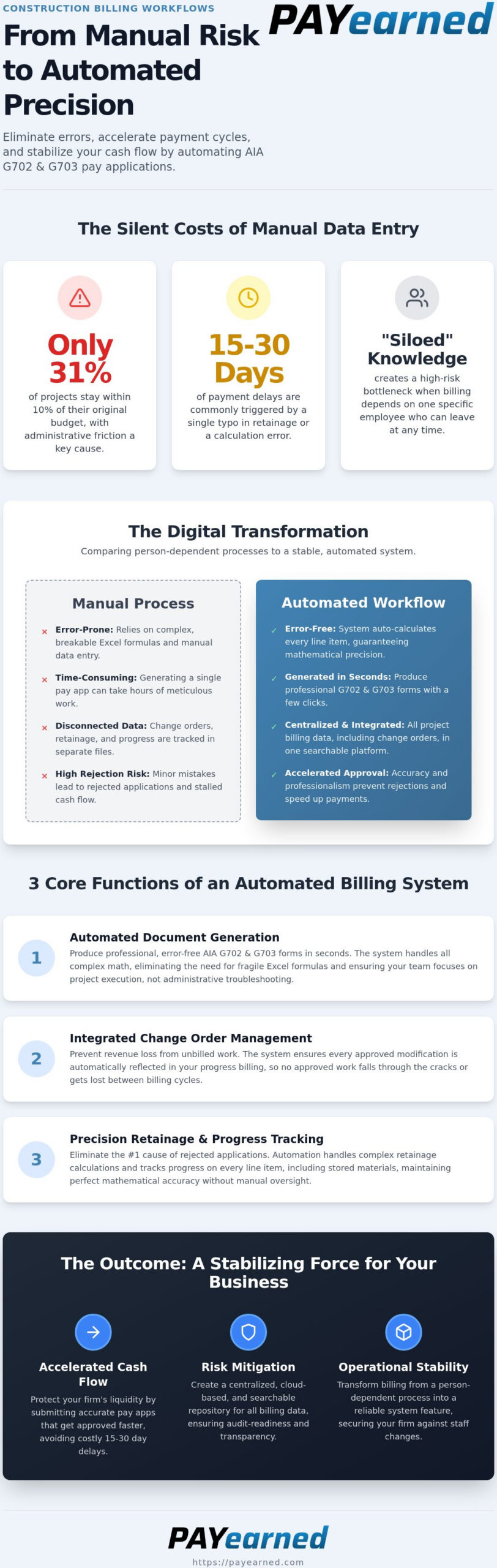
Only 31% of construction projects stay within 10% of their original budget, and administrative friction is often the silent culprit behind these overruns. Your firm’s liquidity shouldn’t depend on whether one specific employee knows how to “do the AIA forms” correctly. Most professionals agree that manual data entry is a high-risk gamble that leads to rejected pay apps and stalled cash flow. By adopting construction billing workflow automation, you can transform your back office into a stabilizing force that ensures mathematical precision and risk mitigation.
This guide will show you exactly how to eliminate manual errors and accelerate your payment cycles by automating your AIA-style G702 and G703 workflows. You’ll learn how to move from outdated, person-dependent processes to a high-end, automated solution that provides total peace of mind. We’ll explore the transition to cloud-first platforms that offer error-free documentation and a centralized search engine for all your project billing data.
Key Takeaways
- Transition from manual Excel templates to cloud-based systems to increase administrative stability and eliminate calculation errors.
- Use construction billing workflow automation to generate error-free AIA-style G702 and G703 forms in seconds rather than hours.
- Prevent revenue loss by integrating change order management directly into your progress billing cycle so no work goes unbilled.
- Accelerate your firm’s cash flow with a streamlined platform that avoids the high costs and technical complexity of traditional ERP suites.
The Shift to Construction Billing Workflow Automation in 2026
In 2026, construction billing workflow automation is no longer a luxury; it’s a requirement for financial survival. At its core, this automation is the digitization of the G702 Application and G703 Continuation Sheet process. It moves your firm away from static, error-prone Excel templates and into cloud-based platforms that auto-calculate every line item. This shift is part of a broader movement toward Automation in construction, where digital tools act as a control layer for project budgets.
One of the most overlooked benefits is personnel independence. In many offices, billing knowledge is siloed within a single employee who understands the nuances of AIA-style forms. If they leave, the billing cycle stops. Automation makes this specialized expertise a system feature rather than a person-dependent variable. With the Producer Price Index for construction materials hitting 354.9 in early 2026, you can’t afford a week of administrative downtime due to staffing changes.
The High Cost of Manual AIA-Style Billing
Manual data entry is a silent profit killer. Contractors lose hours every month to time-consuming fixes for rejected pay applications. A single typo in a retainage calculation or a misaligned previous payment total can trigger an immediate payment delay. These aren’t just minor inconveniences; they are cash flow bottlenecks. According to our guide on Mastering the Payment Application, even small errors often result in 15 to 30-day delays in payment cycles. Accuracy is the only way to protect your liquidity.
Risk Mitigation and Operational Stability
Automated systems serve as a stabilizing force for your back office. They provide a no-nonsense approach to document management by creating a centralized, cloud-based repository for all project billing data. This ensures every payment certificate and continuation sheet is organized and searchable. When owners demand transparency regarding costs and progress, you can provide it instantly. This level of system autonomy reduces the chaos of month-end billing and provides the peace of mind that your financial documentation is mathematically precise.
3 Core Functions of an Automated Billing System
Effective subcontractor billing requires a system that handles the complex math of AIA billing without fail. Construction billing workflow automation provides three non-negotiable capabilities that protect your firm’s financial health. First, automated document generation allows you to produce professional AIA-style G702 and G703 forms in seconds. This eliminates the need for complex Excel formulas that often break during the most critical billing cycles. Using a system that handles the heavy lifting ensures your team focuses on project execution rather than administrative troubleshooting.
Second, integrated change order management ensures that every approved modification is reflected in your progress billing. Without automation, these additions often fall through the cracks; this leads to unbilled work and lost revenue. Third, the system handles complex retainage and progress tracking, including auto-calculations for stored materials. This level of system autonomy is vital because contractors face intense construction industry financial pressures, with many firms waiting over 90 days to collect payment. Precision speeds up this timeline.
Automating the G703 Schedule of Values
The G703 continuation sheet is the engine of your pay application. Software automation ensures your Schedule of Values updates automatically based on current progress percentages. This precision is critical for the “Balance to Finish” column, which GCs scrutinize before releasing funds. For a deeper look at specific documentation requirements, see our G702 Definitive Reference Guide. Accuracy here is the difference between a check and a rejection.
Change Order and Retainage Precision
Errors in retainage calculations are a primary reason for rejected applications. Modern change order management software for contractors prevents these mistakes by tracking modifications across multiple cycles. By understanding what is retention and how it applies to each line item, your system maintains mathematical accuracy without manual oversight. If you want to see how these tools simplify your workflow, you can explore our automated billing solutions.
Finally, a centralized, cloud-based search engine allows you to retrieve historical project data instantly. Whether you’re facing a year-end audit or a project dispute, having every certificate and continuation sheet archived digitally provides total organizational security. You’ll never have to hunt through old filing cabinets or lost email threads again.
Implementing PAYearned: A Practical Path to Faster Cash Flow
Growth in the Construction Technology Market confirms that firms are ditching manual processes to survive labor shortages and rising costs. Implementing construction billing workflow automation doesn’t require a massive IT overhaul or a team of consultants. PAYearned provides a pragmatic, low-friction entry point for subcontractors who need to professionalize their construction invoicing without the overhead of a full project management suite. It’s a focused tool for a critical task.
Starting a PAYearned subscription is the first step toward securing your back office. You don’t need to be an expert in complex accounting software to generate your first payment certificate. While many firms start by searching for a generic free download of an Excel template, those static files lack the real-time calculations and cloud-based accessibility required for remote teams. The platform is built for accuracy and efficiency; it guides you through the generation of AIA-style G702 and G703 forms with system-driven prompts that keep project managers on-site and office teams perfectly aligned.
Why Niche Specialization Beats General Accounting
PAYearned excels at one specific, critical task: AIA-style progress billing. We don’t try to be a full payroll app or a fintech platform. This specialization allows us to offer a high-value proposition. You get high-end automation for your pay applications without the high-overhead price tag of massive ERP suites. By focusing strictly on the billing cycle, we ensure our tools are more reliable and easier to operate than general-purpose accounting software. It’s about doing one thing with mathematical precision.
Next Steps: Securing Your Billing Workflow
Protecting your company’s financial liquidity requires moving beyond the hazards of Word and Excel. If you have questions about how our system handles specific trade requirements or retainage rules, review the PAYearned FAQ for detailed answers. Stop letting manual errors dictate your cash flow. Transition to an automated system that provides the stability and specialized knowledge your business deserves. Move beyond the “fillable form” and embrace a system that secures your revenue.
Take Control of Your 2026 Billing Cycle
Manual data entry is a liability your firm can’t afford. The transition to construction billing workflow automation is about more than just speed. It’s about protecting your financial liquidity through mathematical precision and system autonomy. By moving away from person-dependent processes, you ensure your billing cycle remains stable regardless of staffing changes or project complexity.
You now understand how specialized tools provide accurate AIA-style G702 and G703 generation while tracking change orders and retainage automatically. These functions eliminate the bottlenecks that lead to rejected pay applications and stalled cash flow. Cloud-based accessibility ensures your entire team stays aligned, whether they’re in the office or on the job site.
Don’t let outdated spreadsheets compromise your project success. It’s time to adopt a no-nonsense solution that prioritizes your bottom line. Streamline your AIA-style billing today with PAYearned and experience the peace of mind that comes with error-free documentation. Your path to faster payment starts with a single, automated step.
Frequently Asked Questions
How does construction billing workflow automation speed up payments?
Automation speeds up payments by eliminating the manual errors that cause general contractors to reject pay applications. When you use construction billing workflow automation, the system ensures mathematical precision across all line items, which prevents the 15 to 30-day delays often triggered by simple typos. By delivering error-free AIA-style documents on the first submission, you move through the approval cycle faster and secure your cash flow without administrative bottlenecks.
Can I use PAYearned as a direct alternative to AIA G702 and G703 forms?
Yes, PAYearned is a specialized platform designed to generate professional AIA-style G702 and G703 documents that meet standard industry requirements. It serves as a high-end alternative to static Excel templates or manual “fillable forms” by providing a dynamic, cloud-based environment for progress billing. Our software produces the payment certificates and continuation sheets necessary to satisfy project owners while maintaining a stance of interoperability without direct affiliation.
Does automated billing software require specialized accounting knowledge?
No, the primary goal of this software is to make specialized billing expertise a built-in system feature rather than a person-dependent variable. The platform guides you through the process of setting up a Schedule of Values and calculating progress percentages with intuitive prompts. You don’t need to be a CPA or an IT expert to operate the system. It’s built for busy construction professionals who value stability and precision over complex accounting maneuvers.
How does automation handle retainage tracking and change orders?
The system handles these variables by auto-calculating totals and integrating approved change orders directly into your continuation sheets. This automation prevents the common risk of change orders “falling through the cracks” or miscalculating retainage across multiple billing cycles. By tracking stored materials and retention percentages automatically, the software ensures your financial documentation remains accurate. This level of system autonomy provides total peace of mind for your back-office team.
PAYearned is an agnostic workflow platform that helps teams manage pay applications
PAYearned is an independent software product and is not developed, endorsed, approved, sponsored or affiliated with the American Institute of Architects (AIA). AIA®, G702®, G703®