

Did you know that manual billing errors cost the average commercial contractor over $14,000 every year in delayed payments and write-offs? While your current general ledger might handle payroll and basic expenses, the debate between AIA billing software vs accounting software often comes down to one thing: getting paid on time. Most firms find themselves trapped in an 83-day payment cycle because their generic tools simply can’t handle the complexity of construction-specific documentation.
It’s frustrating to face a rejected pay app just because a retainage calculation was off by a fraction of a percent. You shouldn’t have to deal with 30-day delays caused by simple math errors or tedious double entry between billing sheets and your ledger. This guide shows you why generic accounting tools often fail at construction billing and how specialized AIA software protects your cash flow. We’ll explore how to generate error-free G702 and G703 forms, automate your retainage tracking, and finally secure faster approvals from GCs and owners.
Key Takeaways
- Identify the critical functional divide between General Ledger accounting for tax liabilities and project-based billing focused on the Schedule of Values.
- Eliminate the “math gap” by automating complex retainage tracking and progress percentages that generic accounting tools often miss.
- Evaluate AIA billing software vs accounting software to understand which tool best protects your cash flow from the risks of rejected pay applications.
- Implement a high-efficiency hybrid strategy by using specialized platforms like PAYearned to handle payment applications while keeping your current accounting system for payroll.
Accounting vs. AIA Billing: Understanding the Functional Divide
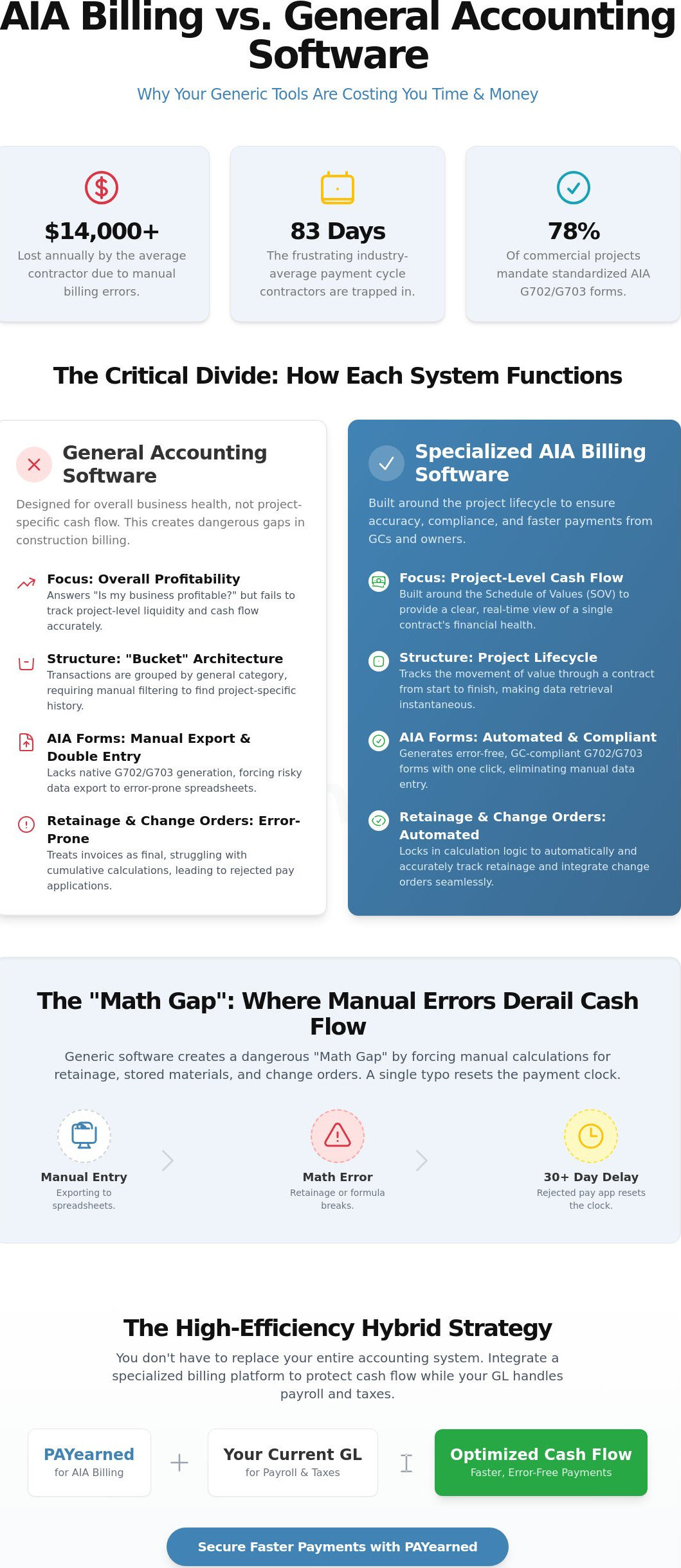
General Ledger (GL) accounting software is designed to answer one question: “Is my business profitable?” It excels at tracking overhead, managing payroll, and calculating tax liabilities. However, construction projects operate on a different financial plane. When comparing AIA billing software vs accounting software, the difference lies in the unit of measurement. While your accounting tool tracks every penny across the entire company, AIA billing focuses on the Schedule of Values (SOV) for a single contract. This distinction is critical for maintaining project-level liquidity.
To better understand this concept, watch this helpful video:
The “Snapshot” problem is a major hurdle for contractors using standard tools. Accounting software typically provides a static view of transactions within a specific month. It struggles to aggregate project-to-date totals, which are essential for AIA G702 and G703 forms. In 2026, where 78% of commercial projects mandate these standardized documents, owners and General Contractors (GCs) require a transparent history of every dollar billed from day one. They don’t just want to see this month’s invoice; they need to see how it fits into the total contract sum to ensure compliance.
The Architecture of Construction Finance
Ledger-based systems like QuickBooks or Xero are built on a “bucket” architecture. Every transaction goes into a general category. Finding the specific billing history for a project requires manual filtering and reconciliation. In contrast, progress-based systems like PAYearned are built around the project lifecycle. Data retrieval is instantaneous because the software tracks the movement of value through the contract rather than just the movement of cash. This prevents administrative bottlenecks during the monthly billing cycle.
Why Standard Accounting Tools Fail at G702/G703
Most accounting packages lack the native ability to generate G702/G703 documents. This forces office managers to export data into spreadsheets, creating a dangerous “math gap.” Relying on AIA billing software vs Excel highlights the risk of manual entry. A single broken formula can lead to rejected pay apps and 30-day payment delays. Specialized software ensures contractual compliance by enforcing rigid formatting rules that GCs expect in 2026.
The “Math Gap”: Where Accounting Software Costs You Money
General accounting tools treat invoices as isolated events. Construction billing requires a cumulative memory that most ledgers lack. When analyzing AIA billing software vs accounting software, the most expensive difference is how they handle the “math gap” in retainage and change orders. Accounting software assumes every invoice is a 100% complete transaction, but construction requires tracking progress over many months while withholding specific percentages for project security.
Stored materials represent another administrative hurdle. You need to bill for items delivered to the site but not yet installed. Generic accounting software often lacks a dedicated field for this, forcing you to adjust line items manually. This creates a reconciliation nightmare when those materials are finally moved to the “work completed” column. A single rejected pay app doesn’t just cause a minor delay; it resets the clock on an industry-average 83-day payment cycle. The interest lost on that delayed liquidity quietly erodes your profit margins before the project even reaches closeout.
Automated Retainage Tracking
Specialized software prevents math errors in cumulative retainage by locking the calculation logic across the entire project lifecycle. Whether you are dealing with a standard 5% or 10% hold, the system automatically subtracts these amounts from every line item on the G703. This ensures that your total earned to date always reconciles with the previous applications. For a deeper dive on profit protection, you can read our guide on what is retention to see how these holds impact your bottom line.
Managing Change Orders and Continuation Sheets
Change orders must be mathematically reconciled with the original contract sum to maintain a clean Continuation Sheet. Standard accounting tools often fail to roll these changes into the Schedule of Values correctly, leading to discrepancies that GCs will spot immediately. By using a dedicated system, you ensure that every change order is properly numbered and added to the total contract amount without manual entry errors. To protect your project liquidity from these common administrative traps, consider how automating your pay apps can streamline your monthly billing cycle.
The Hybrid Strategy: Optimizing Your 2026 Billing Stack
Successful contractors don’t throw away their accounting software. They optimize it. Your general ledger is essential for managing tax liabilities, overhead, and company-wide payroll. However, forcing it to handle complex construction billing is a recipe for administrative burnout. The most efficient firms in 2026 utilize a hybrid strategy. This approach keeps your financial core stable while implementing PAYearned as the dedicated engine for payment applications.
Moving away from manual spreadsheets and generic tools can reduce your administrative hours by 75%. Automated document generation eliminates the need for double entry between your billing sheets and the general ledger. This doesn’t just save time; it creates a protective barrier against human error. For broader strategic needs, utilizing GrowthGrid to build operational plans ensures that every part of your business—not just billing—is documented with precision. Specialized search functions within these billing platforms allow you to pull project history instantly. This speed is invaluable during year-end audits or project closeouts when you need to verify every retainage release and change order at a glance.
The ROI of Niche Specialization
Getting Started with PAYearned
Transitioning to a professional billing solution shouldn’t be a high-friction event. Our cloud-based platform uses a straightforward subscription model, giving you immediate access to automated G702 and G703 generation. You can stop worrying about broken formulas and start focusing on project execution. Reliability isn’t just a feature; it’s the foundation of your financial stability. Streamline your billing with PAYearned today.
Protect Your Liquidity with a Specialized Billing Stack
The choice between AIA billing software vs accounting software isn’t about replacement; it’s about precision. General accounting tools are vital for your company’s broad financial health, but they lack the specialized logic required for construction-specific progress billing. By bridging the math gap, you eliminate the risk of manual calculation errors in retainage and ensure every change order is mathematically reconciled with your original contract sum.
Implementing a hybrid strategy allows you to maintain your established payroll and tax workflows while leveraging automation for complex payment applications. This transition protects your cash flow from the administrative bottlenecks that lead to 30-day payment delays. You don’t have to settle for “close enough” when it comes to your project-to-date totals.
Ready to eliminate the friction from your monthly billing cycle? Start Automating Your AIA-Style Billing with PAYearned. Our platform is precision-engineered for construction financial workflows, offering specialized G702 and G703 document generation with built-in change order and retainage tracking. Take control of your project documentation today and secure the faster approvals your business deserves.
Frequently Asked Questions
Can I use QuickBooks to generate AIA G702 and G703 forms?
No, QuickBooks does not natively generate official AIA G702 and G703 forms. While it’s excellent for tracking overhead and payroll, it lacks the specialized logic required for progress-based billing. You’d have to manually export data into a spreadsheet to create these documents. This manual process often leads to the math gap where retainage and stored materials are easily miscalculated, increasing the risk of rejected applications.
What is the difference between progress billing and standard invoicing?
Progress billing tracks the cumulative percentage of work completed against a Schedule of Values, whereas standard invoicing is a one-time request for payment. In construction, you aren’t just billing for a service; you’re documenting the movement of value through a long-term contract. Standard invoicing doesn’t account for retainage or previous payments. This is a primary reason firms evaluate AIA billing software vs accounting software to manage their project-specific cash flow.
Why do GCs reject pay applications created in accounting software?
General Contractors typically reject pay applications because of rounding errors or discrepancies in the total earned to date column. If your accounting software doesn’t perfectly reconcile previous payments with current progress, the GC cannot approve the certificate. These rejections can reset the industry-average 83-day payment cycle, causing significant financial strain. Using specialized tools ensures your math is locked and compliant with contractual requirements before you submit the document.
Is it better to use a template or specialized AIA billing software?
Specialized software is the safer choice because it automates the complex logic that templates cannot handle. Manual templates rely on the user to update every cell correctly across multiple sheets. One broken formula in a spreadsheet can invalidate an entire pay app. Specialized software provides a dedicated engine for your G702 and G703 generation, ensuring that change orders and retainage release are handled with mathematical precision every time.
PAYearned is an agnostic workflow platform that helps teams manage pay applications
PAYearned is an independent software product and is not developed, endorsed, approved, sponsored or affiliated with the American Institute of Architects (AIA). AIA®, G702®, G703®