

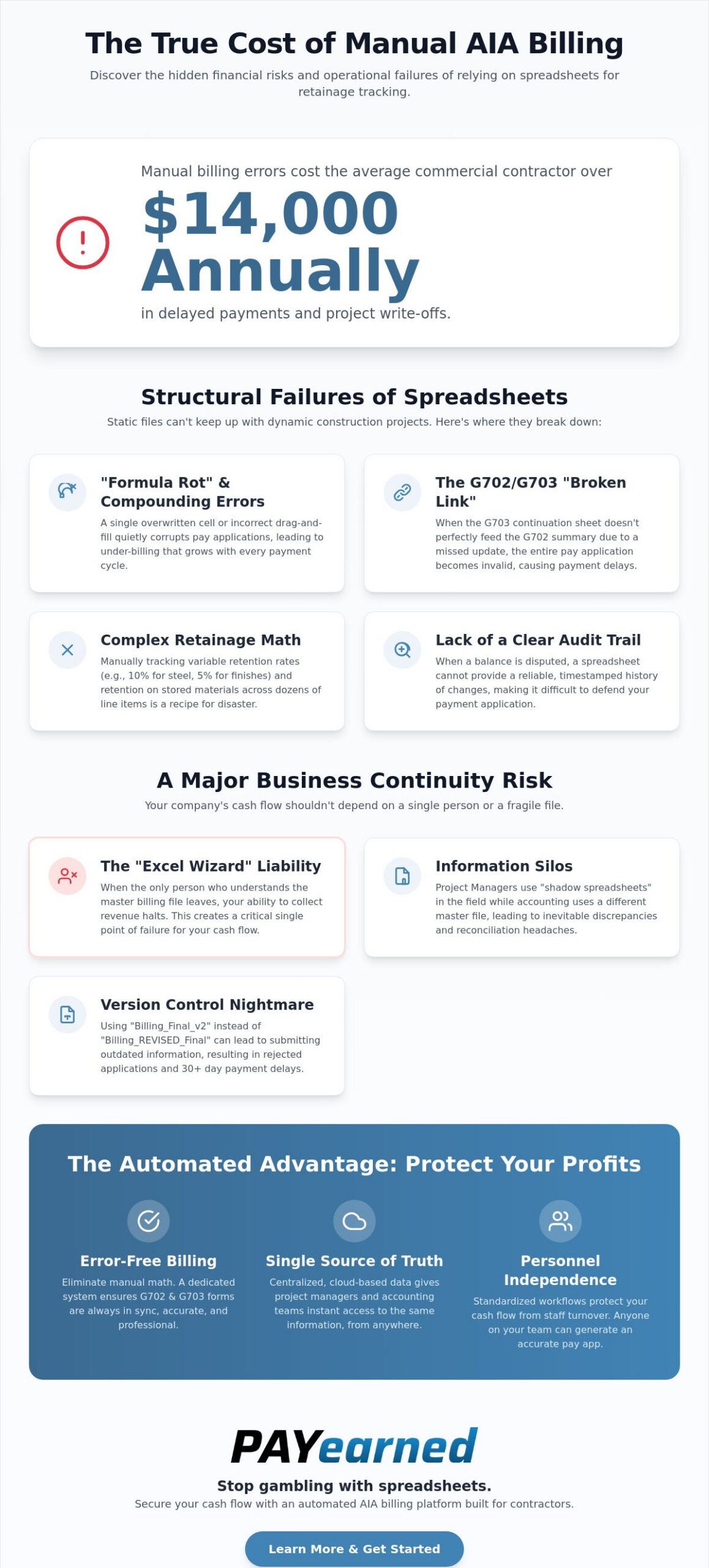
Manual AIA billing errors cost the average commercial contractor over $14,000 annually in delayed payments and write-offs. That is a steep price to pay for sticking with “the way we’ve always done it” in 2026. If you’re still relying on a complex web of Excel formulas to manage your G703 line items, you’re likely sitting on a financial time bomb. The inherent retainage tracking spreadsheet limitations mean that a single broken link or a typo from a tired project manager can quietly drain your cash flow for months before anyone notices.
You probably know the stress of wondering if your retainage balances actually match the general contractor’s books, especially when your resident spreadsheet expert takes a vacation or leaves the company. It’s a high-stakes gamble with your company’s liquidity. This guide will help you discover the critical structural and financial risks of manual tracking and show you how to protect your 2026 profits. We’ll explore how moving to automated, centralized data ensures error-free AIA-style billing and keeps your payments on track.
Key Takeaways
- Identify how hidden formula errors in manual sheets lead to under-billing and compound over a project’s lifecycle.
- Learn why relying on a single “Excel wizard” creates a critical business risk if they leave your firm.
- Understand how retainage tracking spreadsheet limitations prevent project managers and accounting teams from seeing the same financial data.
- Discover how to automate the relationship between G702 and G703 forms to eliminate manual math errors.
- See how cloud-based storage provides instant access to payment certificates, improving cash flow and accuracy from any location.
The Structural Failures of Retainage Tracking Spreadsheets
Spreadsheets are static files operating in a dynamic, high-stakes industry. While they seem like a low-cost tool, the actual cost of retainage tracking spreadsheet limitations often appears as compounding mathematical errors. Over a typical 12-month project lifecycle, “formula rot” inevitably sets in. This happens when a user accidentally overwrites a cell or drags a calculation incorrectly. These tiny discrepancies grow quietly each month, eventually leading to a reconciliation nightmare during the final closeout phase.
The “broken link” nightmare is equally dangerous for your cash flow. In standard Retainage management, your G703 continuation sheet must feed perfectly into the G702 summary. If a project manager adds a new line item for a change order and fails to update the summary links, the pay application becomes invalid. You’re then left spending hours double-checking math that should have been automated. Manual entry fatigue isn’t just an administrative burden; it’s a financial risk that lacks a clear audit trail. When a general contractor disputes a balance, a spreadsheet cannot provide a reliable, timestamped history of every change made over the last six months.
The Complexity of AIA G703 Line-Item Retention
Commercial projects rarely feature a flat retention rate across every phase of work. You might deal with variable percentages where structural steel is held at 10% while interior finishes are capped at 5% to comply with current state regulations. Tracking these shifts across dozens of line items in a manual grid is a recipe for disaster. A single incorrect formula in a G703 continuation sheet can delay a six-figure payment, forcing your firm to float labor and material costs while the paperwork is painstakingly corrected.
Stored Materials and Retention Math
Calculating retention on stored materials adds another layer of difficulty that standard spreadsheets struggle to handle. You must track the value of materials currently on-site but not yet installed, apply the correct retention, and then accurately transition those values into the work-completed column in the following period. Without a dedicated system, these calculations often lead to under-billing or over-reporting. Both scenarios trigger audits or payment rejections from general contractors who require absolute precision in their progress billing documents.
Why Retainage Spreadsheets Are a Business Continuity Risk
The reliance on a single “Excel wizard” is a liability that many construction firms ignore until it’s too late. When your entire progress billing workflow lives inside a custom-built file that only one person understands, you’ve created a single point of failure. If that employee resigns or takes an extended leave, your ability to collect earned revenue halts. This is one of the most dangerous retainage tracking spreadsheet limitations because it ties your company’s liquidity to a single individual’s presence. With the construction industry projected to need 499,000 new workers in 2026, the risk of losing key administrative talent is a reality you must plan for today.
Information silos further complicate the issue. Project managers in the field often track completion percentages on their own “shadow” spreadsheets, while the accounting team works off a different master file. These disconnected systems lead to discrepancies in reported retainage, especially on complex public projects governed by the Federal Acquisition Regulation. Without a single source of truth, disputes over what’s actually owed become inevitable. You shouldn’t have to spend your Friday afternoon reconciling two different spreadsheets just to figure out your actual cash position.
Version control is another silent profit killer. We’ve all seen folders filled with files named “Project_Billing_Final_v2” and “Project_Billing_REVISED_Final.” Using the wrong version for a pay application can result in under-billing or a rejected submission that delays payment for another 30 days. Finding specific data across multiple project years becomes a manual hunt through archived folders, wasting valuable administrative time that could be spent on higher-value tasks.
Personnel Independence and Cash Flow Protection
Standardizing your billing process removes the “billing panic” that follows a key staff member’s departure. Automated systems ensure that any authorized user can generate accurate, professional documents that follow the G702 and G703 format. By moving away from fragile manual files, you protect your cash flow from the volatility of the labor market. A specialized software platform ensures that your billing remains consistent, accurate, and independent of any single person’s specialized Excel knowledge.
Consistency is the foundation of a healthy construction business. When your billing process is centralized and automated, your office staffing changes don’t impact your ability to get paid. You gain the peace of mind that comes with knowing your retainage is being tracked accurately, regardless of who is sitting in the accounting chair this month.
Transitioning to Automated AIA-Style Retainage Tracking
Moving from manual files to a dedicated SaaS platform eliminates the core retainage tracking spreadsheet limitations that plague growing firms. By automating the mathematical relationship between your G702 summary and G703 continuation sheets, you ensure every penny of retention is accounted for without manual verification. Cloud-based storage provides your team with instant access to payment certificates from any job site or home office. This transparency is critical when managing federal acquisition regulations on retainage, where precision is a requirement rather than a suggestion.
Built-in search functionality allows you to pull historical retainage data or change order records in seconds. You no longer have to hunt through archived folders for a specific pay app from two years ago. Professionalizing your billing workflow signals to General Contractors that your firm is organized and reliable. This improved standing often leads to faster approvals and more consistent project invitations. Overcoming retainage tracking spreadsheet limitations is not just about software; it’s about positioning your firm for sustainable growth.
The ROI of Specialized Pay App Software
Calculate the hours your team spends each month fighting with Excel formulas. For most subcontractors, the time saved per billing cycle pays for the software almost immediately. Accurate, error-free AIA-style billing reduces the frustrating back-and-forth with GC accounting departments that delays your funding. You can explore how PAYearned tutorials help your staff master these automated workflows in just a few minutes, ensuring a smooth transition from your old manual process.
Taking the First Step Toward Automated Billing
Start by auditing your current billing files for formula rot. If you find broken links or manual overrides, it’s time to move your project data into a dynamic cloud environment. Transitioning your existing job data is a straightforward process that replaces static files with a reliable system of record. You can contact the PAYearned team to learn how we simplify retainage tracking and help you secure your 2026 profits through automation.
Secure Your Cash Flow and Professionalize Your Billing
Sticking with manual processes is no longer a sustainable strategy for construction professionals. We’ve explored how hidden formula errors and the loss of a single key employee can jeopardize your company’s liquidity. These retainage tracking spreadsheet limitations are more than just minor inconveniences; they are direct threats to your 2026 profitability. By centralizing your project data, you eliminate the information silos that lead to payment delays and rejected pay applications.
Transitioning to a dedicated system provides the mathematical precision required for modern commercial projects. You gain automated AIA-style G702 and G703 generation, a powerful built-in search engine for historical records, and secure cloud-based access from any job site. This shift doesn’t just save administrative time. It builds trust with general contractors and ensures your hard-earned revenue is never left on the table.
Stop struggling with spreadsheets and get accurate AIA-style billing with PAYearned today. It’s time to move toward a more reliable, professional future for your back office.
Frequently Asked Questions
What is the biggest risk of using Excel for retainage tracking?
The primary risk is the compounding effect of formula rot and hidden cell errors over long project lifecycles. These retainage tracking spreadsheet limitations often lead to significant under-billing that goes unnoticed until the final project closeout. A single broken link between your G703 and G702 can quietly drain your company’s liquidity for months. You shouldn’t have to wait until a project ends to realize your spreadsheets were failing you.
How does automated software handle AIA G702 and G703 retainage differently than a spreadsheet?
Professional software creates a dynamic, synchronized link between the G702 summary and G703 continuation sheets. Unlike static spreadsheets, the system auto-calculates your totals and retainage based on work completed and stored materials for every billing period. This automation overcomes many retainage tracking spreadsheet limitations by eliminating the need for manual math checks. It ensures your billing remains accurate regardless of how many changes occur during construction.
Can I track change orders and retainage in the same system?
Yes, specialized billing platforms integrate change orders directly into your continuation sheets to maintain a complete project history. This ensures that retention is applied accurately to every approved change order from the moment it is entered into the system. Centralizing this data prevents the confusion that arises when change orders are tracked in separate files that don’t talk to your master billing sheet. It provides a clear audit trail for every dollar earned.
What happens to my retainage tracking if my billing manager leaves the company?
Automated systems safeguard your business continuity by storing all project data in a centralized, cloud-based platform. Any authorized team member can step in and generate accurate pay applications without needing to decode a previous employee’s personalized Excel formulas. This removes the risk of a single point of failure and ensures your cash flow remains consistent during office staffing transitions. You don’t have to worry about your billing process walking out the door when an expert resigns.
PAYearned is an agnostic workflow platform that helps teams manage pay applications
PAYearned is an independent software product and is not developed, endorsed, approved, sponsored or affiliated with the American Institute of Architects (AIA). AIA®, G702®, G703®