

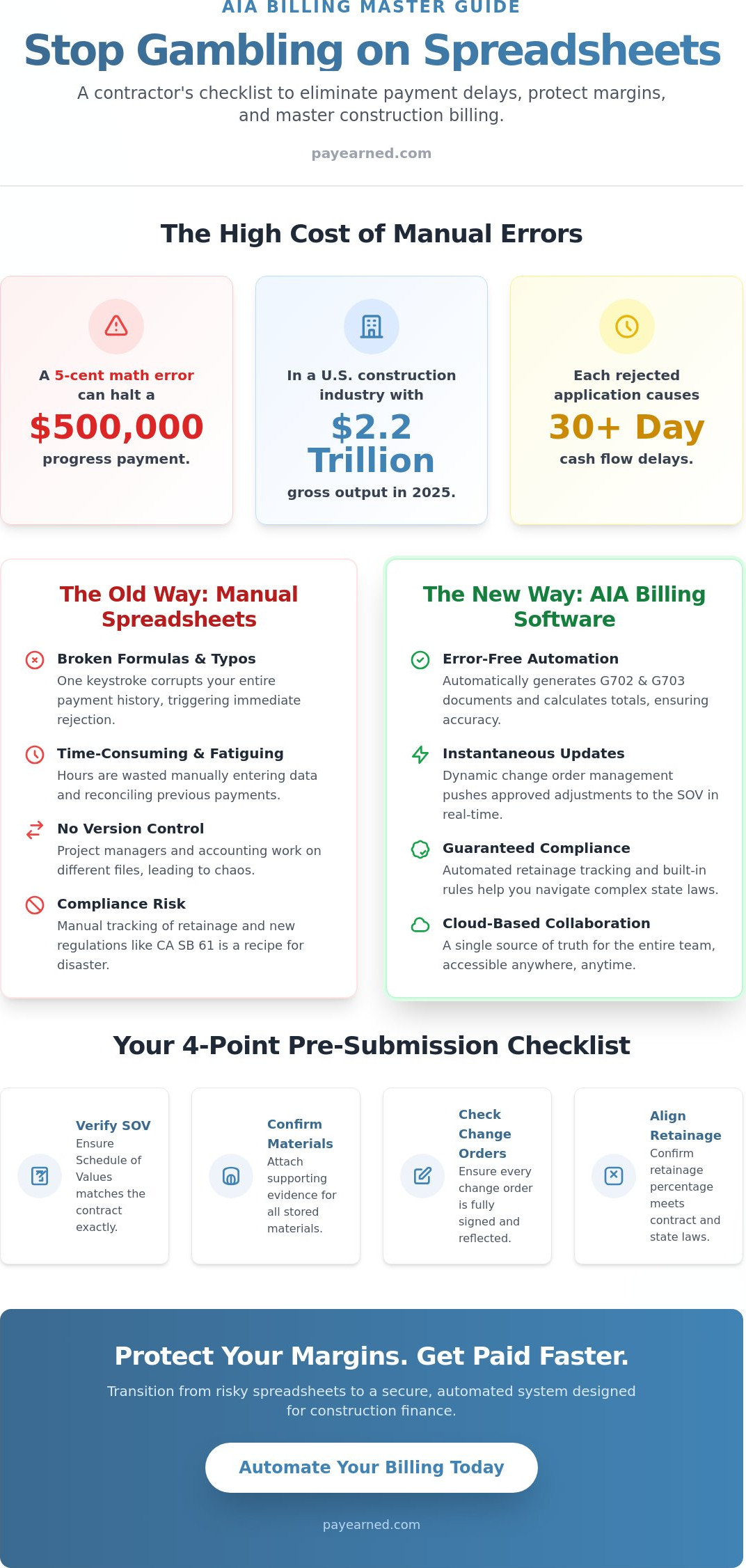
Why are you still letting a five cent math error on a spreadsheet hold up a $500,000 progress payment in a U.S. construction industry that reached $2.2 trillion in gross output in 2025? You already know that manual entry is a recipe for fatigue and missed revenue. Tracking unbilled retainage or managing the new January 1, 2026, California SB 61 cap of 5% on private contracts shouldn’t feel like a second job. It’s time to treat your billing as the financial specialty it is rather than a general accounting chore.
This guide provides a comprehensive checklist to help you evaluate and master specialized AIA billing software to ensure your G702 and G703 documents are professional and error-free. By moving away from risky spreadsheets, you can protect your margins and eliminate the administrative friction that delays your cash flow. We will cover everything from automating the 1992 edition forms to navigating the new time-bound dispute resolution mandates of California SB 440 to ensure you get paid exactly what you’ve earned.
Key Takeaways
- Eliminate payment delays by verifying your Schedule of Values and stored materials documentation before every submission.
- Evaluate the “must-have” features of professional AIA billing software, including automated G702 and G703 generation that replaces error-prone spreadsheets.
- Master the tracking of unbilled retainage and proportional calculations to maintain accurate financial records across the entire project lifecycle.
- Streamline your transition to an automated system using a step-by-step implementation plan designed for immediate cash flow improvement.
The Pre-Submission Checklist for AIA-Style Billing
Precision is the only way to survive the 2026 construction market. With material and borrowing costs remaining elevated, you can’t afford to have your capital tied up because of a clerical oversight. Using dedicated AIA billing software allows you to standardize your workflow, but a final verification remains essential before you hit send. A clean submission on the first try is the fastest way to maintain a healthy project ledger and keep your field crews moving.
- Verify the Schedule of Values (SOV) matches the original contract exactly down to the penny to prevent immediate rejection.
- Confirm all stored materials have supporting evidence, such as photos or invoices, to avoid line-item strikes from the architect.
- Ensure every change order is fully signed by all parties and properly reflected on the G703 continuation sheet.
- Check that your retainage percentage aligns with the current project phase, especially under new 2026 regulations like California SB 61.
To master the mechanics of a successful payment application, watch this helpful video:
The High Cost of Rejected Pay Applications
A single math error on a continuation sheet can trigger an immediate rejection. This isn’t just a minor annoyance; it often delays your cash flow by 30 days or more as you wait for the next billing cycle to open. Re-submitting G702 and G703 forms involves significant administrative overhead that eats into your profit margins and frustrates your accounting team. These delays disrupt standard construction project finance principles, which rely on predictable, milestone-based liquidity to pay subcontractors and suppliers. Billing compliance is the bridge between work finished and money in the bank. It’s the difference between a project that stays profitable and one that stalls due to lack of funds.
Identifying Spreadsheet Vulnerabilities
Broken formulas in Excel are the primary cause of payment friction in the construction industry. When you rely on a manual template, one accidental keystroke can corrupt your entire history of previous payments and current totals. Manual data entry is slow and prone to fatigue, especially when you’re managing dozens of line items. In contrast, a “software paid” solution uses automated data retrieval to pull historical values instantly and accurately. You’ll save hours every month by avoiding the “hidden” time spent reconciling previous payments and unbilled retainage manually. Relying on professional AIA billing software ensures your totals always balance, protecting you from the spreadsheet errors that keep your cash locked in someone else’s account.
Essential Features Checklist for AIA Billing Software
Selecting the right AIA billing software isn’t about finding the most features; it’s about finding the ones that actually prevent rejections. General accounting software frequently misses the nuance of progress billing, leading to manual workarounds that defeat the purpose of automation. Your platform must handle the heavy lifting of math and formatting so your team can focus on production. Look for these non-negotiable capabilities:
- Automated generation of G702-style and G703-style documents to meet industry standards.
- Dynamic change order management that pushes approved adjustments to the SOV in real-time.
- Automatic calculation of totals to ensure previous payments and work completed always balance.
- Cloud-based accessibility that allows project managers and accounting to collaborate without version control errors.
If you’re ready to stop wrestling with Excel, you can simplify your next pay application with a specialized tool that handles these tasks automatically.
G702 and G703 Automation Requirements
Architects and owners often demand “AIA-style” documents because they provide a familiar, standardized view of project health. If your software can’t produce a clean continuation sheet, you’ll end up manually typing data into a PDF. This defeats the goal of a premium solution. For complex projects with hundreds of line items, this automation is the only way to maintain accuracy. You can learn more in our guide on AIA Billing Software: The Contractor Guide to G702 & G703 Automation in 2026. These automated workflows ensure you stay compliant with federal construction payment standards, which strictly regulate how progress payments are calculated and documented on government-funded projects.
Change Order and Continuation Sheet Management
Construction is fluid. Your software must distinguish between approved change orders that impact the contract sum and unapproved ones that are still in negotiation. A dynamic G703 continuation sheet provides the granular transparency required for modern project management. It acts as a live ledger of every dollar spent and earned. Every change needs a clear audit trail. This prevents confusion during the final closeout phase when everyone is looking for missing funds. When you have a searchable history for every line item change, you eliminate the finger-pointing that often occurs at the end of a job.
The Financial Accuracy Checklist: Retainage and Calculations
Spreadsheets are more than just a hassle; they are a financial liability. When you manage retainage manually, you’re essentially gambling with your profit margin. In a 2026 construction market where the industry gross output reached $2.2 trillion in 2025, even a minor calculation error can lead to a significant liquidity crisis. Your AIA billing software must act as a fail-safe, ensuring that every penny of held retention is accounted for from the first pay app to the final closeout. Accuracy isn’t a luxury; it’s the standard for professional contractors.
- Automated tracking of “unbilled retainage” across the project lifecycle.
- Proportional retainage calculations for each line item on the SOV.
- Logic-based warnings for over-billing or calculation mismatches.
- Clear separation of “Work Completed” and “Materials Presently Stored.”
Automating Retainage Tracking
Retainage isn’t just a deduction. It is the profit margin that many contractors lose in a sea of manual paperwork. It is common for retention to sit on a balance sheet for over 12 months, and if you aren’t tracking it proactively, it’s easy to forget to bill for it at the end of the job. Professional software ensures you never leave money on the table by keeping unbilled retainage visible in every report. This level of oversight aligns with the best practices promoted by the Construction Financial Management Association to ensure long-term solvency. To ensure a smooth release, verify these three items before closeout:
- Confirm all punch list items are signed off by the architect.
- Verify that the total retention held matches the final G702 summary.
- Ensure all lien waivers from subcontractors are collected and filed.
Eliminating Mathematical Errors in Progress Billing
The math behind a G702 is deceptively simple, but the room for error is vast. The standard formula is: (Total Work + Stored Materials) – Retainage – Previous Payments. If you get even one of these variables wrong, the entire application is invalid. Specialized AIA billing software prevents double-billing for the same progress period by locking in previous payment totals. This creates a reliable audit trail that satisfies both owners and lenders. A “software paid” status depends on 100% calculation accuracy. When your software handles the logic, you eliminate the risk of an architect returning your application with red ink because of a simple addition mistake. You’ll spend less time fixing cells and more time managing your job site.
Security and Compliance Checklist for Construction Finance
In a market where construction management software is projected to grow to $11.58 billion in 2026, staying competitive means securing your financial data. Your project history is more than just a record of work; it is your legal protection. Relying on local files or outdated folders is a risk you don’t need to take. Professional AIA billing software centralizes your data, ensuring that compliance is built into your workflow rather than added as an afterthought. Protecting your sensitive billing information requires a modern approach to security.
- Secure, cloud-based storage for all historical pay applications and continuation sheets.
- Built-in search engines for instant retrieval of project billing history and change order logs.
- Role-based access to protect sensitive financial data from unauthorized internal changes.
- Compatibility with industry-standard document formats for easy sharing with architects and lenders.
Audit Trails and Data Retrieval
Audits are a reality of the construction business. Whether it is an end-of-year tax review or a project-specific audit, being “searchable” saves your team dozens of hours. When every pay application is indexed and stored in a central database, you can pull up a specific G703 from three years ago in seconds. This speed is vital for resolving disputes between General Contractors and Subcontractors. An immutable audit trail provides a clear timeline of every dollar requested and approved. PAYearned includes built-in search engines designed specifically for this purpose, allowing you to filter by project name, date, or billing cycle without digging through physical files.
Cloud-Based Accessibility vs. Local Files
Local Excel files are fragile. They can be accidentally deleted, corrupted, or lost if a single laptop fails. Contrast this with secure cloud backups that offer 99.9% uptime and redundant storage. The benefit of “anywhere access” is massive for modern teams. Field supervisors can verify work completed on a tablet while office staff finalize the numbers in real-time. This eliminates version control issues where two people are working on different versions of the same spreadsheet. By adopting a cloud platform, you gain a “Reliable Specialist” that focuses exclusively on protecting your billing data. You don’t have to worry about IT maintenance or server security; the software handles it for you. To secure your financial future and protect your data, start your free PAYearned account today.
Moving your billing to the cloud isn’t just about convenience. It is about risk mitigation. When your financial data is searchable and secure, you spend less time on administrative defense and more time on project execution. This transition ensures that your firm is ready for the increased digital demands of the 2026 construction landscape.
Implementation Checklist: Transitioning to PAYearned
Transitioning to a specialized AIA billing software doesn’t have to be a multi-month project. While general accounting systems often require complex workarounds, a specialized platform allows you to go live in a single afternoon. This efficiency is critical in 2026 as the construction management software market continues to grow by 8.99% annually. You don’t need a bloated ERP; you need a tool that handles pay applications with precision and speed.
- Create your account; no credit card is required to begin with the Free Limited plan.
- Import your Schedule of Values (SOV) directly from a CSV file to save hours of manual entry.
- Define your project-specific retainage rules and tax requirements once for automated application.
- Generate your first professional G702-style document and verify the totals instantly.
Setting Up Your First Project
Success starts with a clean mapping of your contract line items. When you import your SOV, ensure each description and value aligns with your signed agreement to prevent administrative friction. If you need to adjust the contract sum, the “Change Order” sheet allows you to push updates to your continuation sheet immediately. It’s time to stop leaving money on the table. By setting up your project correctly from day one, you ensure that every dollar of work performed is captured and billed accurately.
Leveraging Live US-Based Support
Even the best software requires a human touch when complex billing questions arise. Unlike general-purpose help desks that use automated bots, specialized support gives you access to experts who understand construction finance. Whether you’re navigating unbilled retainage or stored material documentation, having a partner who speaks the industry language is a massive advantage. This localized support ensures you never miss a submission deadline because of a technical hurdle. Get started with PAYearned today; no credit card required.
Secure Your Cash Flow for the 2026 Season
The 2026 construction landscape demands more than just hard work; it requires financial precision. By implementing a specialized AIA billing software, you eliminate the manual entry fatigue and spreadsheet risks that lead to payment delays. You’ve learned how to verify your Schedule of Values and automate unbilled retainage tracking to protect your profit margins. These steps ensure your firm remains resilient as the industry grows toward its projected $2.14 billion accounting software market value in 2026. It’s time to stop letting clerical errors hold your capital hostage.
PAYearned is built exclusively for Pay Applications. It provides automated G702 and G703 generation along with live US-based support to keep your billing on track. You can move away from risky templates and toward a premium solution that ensures your calculations are 100% accurate every time. Don’t wait for the next billing cycle to find a mistake that should have been caught automatically. Take control of your project finance today and build a more predictable, profitable future for your business.
Start Your Free Trial of PAYearned Now; No Credit Card Required
Frequently Asked Questions
What is the difference between G702 and G703 forms?
The G702 serves as the primary summary document that shows the overall contract sum, total work completed, and the specific amount due for the current period. In contrast, the G703 is the continuation sheet that provides a granular breakdown of every line item in your Schedule of Values. Together, these forms provide the transparency architects and owners require to verify progress before releasing payments.
Can I use this software if the architect requires official AIA documents?
Most architects accept documents generated by specialized AIA billing software because they adhere to the recognized 1992 industry standard layout. These “AIA-style” forms provide the exact data structure and professional appearance required for project review. Using a digital solution often speeds up the approval process because the calculations are guaranteed to be accurate, reducing the likelihood of a rejection.
How does AIA billing software handle change orders?
The software manages change orders by adding them as distinct line items on your G703 continuation sheet once they are approved. This dynamic update ensures your contract sum is always current and prevents confusion during the final project closeout. You can track pending change orders separately to ensure they aren’t forgotten, allowing you to convert them into billable work as soon as they are signed.
Is my data secure in a cloud-based billing platform?
Cloud-based platforms offer superior security compared to local files by utilizing enterprise-grade encryption and automated off-site backups. Your project billing history is protected against hardware failure and accidental deletion, which are common risks with spreadsheet-based systems. Role-based access ensures that only authorized team members can view or edit sensitive financial records, providing a secure audit trail for every transaction.
Does PAYearned integrate with my existing accounting software?
PAYearned is built as a specialized tool for pay applications to maintain high speed and simplicity. While it isn’t a full ERP, it allows you to export clean data that complements your existing accounting workflows. This focused approach ensures your AIA billing software remains easy to use without the unnecessary bloat and complexity often found in general-purpose construction management platforms.
How much does specialized AIA billing software typically cost?
Pricing for specialized platforms varies based on the level of automation and support provided. As of March 2, 2026, PAYearned offers an unlimited monthly plan for $89 or an annual option that reduces the cost to $67 per month. This investment is a strategic move that pays for itself by reclaiming the hours your staff currently spends on manual data entry and error correction.
What happens if I make a mistake on a submitted pay application?
If an error is discovered after submission, you will typically need to revise and resubmit the application. Automated systems make this process much faster by allowing you to clone the existing data and fix the specific error without re-typing the entire form. This drastically reduces the administrative burden of correcting clerical oversights and ensures your historical records remain consistent and accurate.
Do I need to be an accountant to use PAYearned?
You don’t need an accounting degree or CPA certification to manage your project billing effectively. The platform is designed specifically for contractors and project managers who understand their job costs but want to avoid the headache of manual calculations. The software handles the complex math and formatting automatically, allowing you to focus on managing your crews and finishing the job.
